
The AI Agents That Can Run Your Life on Autopilot
Most people use AI to make memes, silly videos, or worse, AI girlfriends. The bigger unlock is a team of personal agents that handle the repetitive parts of your life while you sleep.
That is the pitch from Ishan, a creator who teaches AI to corporate teams. He runs several agents that hunt for sponsorships, pitch AI workshops to companies, track down the best price on things he wants, audit his subscriptions, and draft content every day. Doing that with people would mean several hires and a monthly payroll. He does it with one subscription to Grok Bot and no code.
Here is how his setup works, and how to build your own.
What Grok Bot actually is
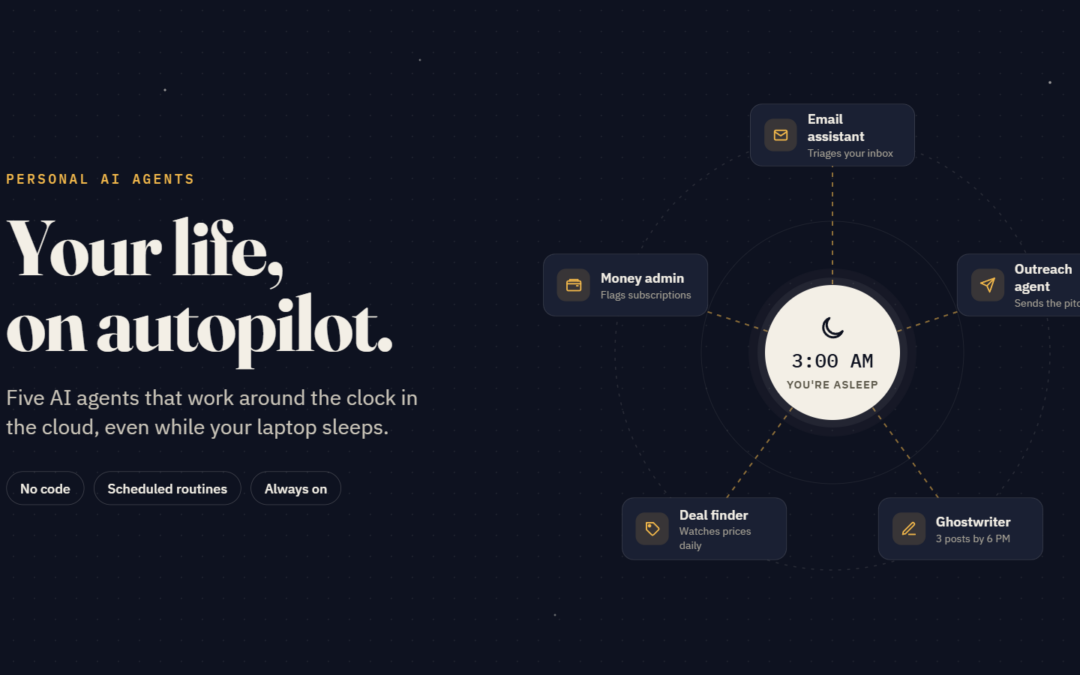
Grok Bot is xAI’s app for building a team of always-on AI agents. Each bot gets a name and a job, works inside the tools you already use, and runs on its own cloud computer. That last part matters: your laptop can be asleep and the work still gets done.
It runs on Mac, Windows and iPhone, and your bots stay synced across devices. Connect Gmail or Google Calendar once and every bot can use it. Repeating jobs become routines that run on a schedule or a trigger, and a proven process can be saved as a reusable skill.
On pricing, Ishan says he pays about $20 a month through a Cursor plan; he also mentions a SuperGrok route at around $30. Check x.ai/bot for current plans, since subscriptions include weekly usage and heavier use is billed extra.
Agent 1: The personal secretary
The first bot is a secretary wired into everything: calendar, Gmail and other connected apps. Ask it “What’s happening in my life this week?” and it reads across all of them and returns one clean list of commitments.
No more jumping between five tabs to reconstruct your week. It is the simplest agent to build and the one you will use most.
The context problem: your agent wasn’t in the meeting
Personal agents are only as good as the context you give them. Your agent was not on the call with that prospective client, so it cannot know what they asked for.
Ishan closes that gap with Wispr Flow’s Notetaker. It captures meetings from your computer’s audio, so no bot joins the call, then produces a transcript and a summary. After an 18-minute, three-person call about a hackathon sponsorship, he simply asked it, “What do they want from me?” and got the next steps.
The real payoff is the handoff. Notetaker can plug into ChatGPT or Claude, so he asks his AI assistant about his latest meeting and gets a full proposal back in under five minutes. No retyping notes, no re-explaining the call. Notetaker is included in Wispr Flow’s free plan and runs on Mac and Windows.
Agent 2: The price and listing watcher
Ishan wants a used black Mercedes GLE or GLC. He used to check the used-car sites every day. Now a car-listings bot does it at 8 p.m. daily and pings him only when a match appears.
The instructions can be as specific as you like. One example he set up on camera: check for a black 2025 Mercedes S-Class in Bangalore every day at 6 p.m., with under 20,000 km on it. The bot opens its own cloud browser, searches the listing sites, and saves the job as an editable, pausable routine.
The same pattern works for anything: an iPhone price drop on Amazon, a book, a TV. If you are refreshing a page daily, hand it to a bot.
Agent 3: The subscription auditor
Forgotten subscriptions quietly drain money. Ishan’s subscription bot scans his Gmail, lists every active subscription, and flags the ones he rarely uses. In his case it surfaced an ElevenLabs plan he no longer needed. He decides what to cancel, and the bot can handle the cancellation for him.
Agent 4: The payment chaser
Tracking who has paid used to eat hours of Ishan’s week: bank statements in one tab, Gmail in another, the invoicing platform in a third. His payment bot reads his email, works out which deals are still unpaid, and lists the companies that have not cleared their invoices. He gets a follow-up list instead of a forensic exercise.
Agent 5: The sales outreach machine
The most ambitious bot pitches AI training workshops to companies. It connects two tools:
- Apollo.io finds and enriches the work emails of people at target companies.
- Gmail sends personalized outreach on his behalf, spaced out at regular intervals.
He checks in to see who has replied. One early reply came from Access Bank, and he is following up to see if it turns into a deal.
Build your own: a LinkedIn ghostwriter in minutes
To show how easy setup is, Ishan builds a new bot live, no code involved.
- Create and name it. He clicks “create a new Grok Bot” and calls it “LinkedIn Ghostwriter.” The name itself tells the bot its role.
- Give it the job. Write high-performing LinkedIn posts in his voice, backed by web research, surveys and statistics.
- Teach it your voice. He pastes in several of his own posts and asks it to study the tone, hooks and frameworks.
- Add skills. He drops in a skill for writing LinkedIn posts and another for writing strong hooks.
- Feed it ideas by voice. He talks through a post idea: why Gen Z seems so relaxed about career growth at work, what’s behind it, and the fix. The bot researches the stats and headlines and returns a finished draft.
- Turn it into a routine. Every day at 6 p.m., research the latest AI and workplace-culture news in India, frame it for a 25-year-old, and draft three posts in his style.
Now he comes home to three ready-to-post drafts. You can go further and let the bot log in to LinkedIn and post for you. The same setup works for Reels, tweets or YouTube scripts.
The marketplace, bot groups and a personal stylist
Ishan calls the marketplace Grok Bot’s biggest power. It holds plugins for productivity, communication and design apps, plus bots other people have built that you can reuse.
You can also put bots in a group. His outreach group combines his brand-deal, hackathon-sponsorship and AI-training outreach bots. He asks the group what happened last week and gets one combined update while the bots keep working.
For fun, he built a personal stylist. He screenshots an outfit he likes on Pinterest, drops it into the chat, and asks the bot to find those exact pieces from Indian retailers. It browses multiple sites and returns a PDF with the overshirt, a blue Oxford shirt, dark straight jeans and Chelsea boots, each with a price.
The five agents everyone should build
Ishan’s starter kit, in order:
| # | Agent | What it does | Why it matters |
|---|---|---|---|
| 1 | Email assistant | Triages your inbox and flags what matters | Missed emails mean missed opportunities |
| 2 | Outreach agent | Finds contacts and runs personalized outreach | Jobs, clients and brand deals all depend on outreach |
| 3 | Money admin | Scans email for subscriptions and unpaid invoices | Stops silent leaks and late payments |
| 4 | Deal finder | Watches listings and prices on a schedule | Saves money without daily checking |
| 5 | Content creator | Researches and drafts posts in your voice | Keeps you consistent without the grind |
A few guardrails before you hand over the keys
Agents that send email and log in on your behalf deserve some care.
- Test before you schedule. Run a job by hand, fix what it misses, then make it a routine. DataCamp’s tutorial recommends exactly this order.
- Keep approvals on for anything outbound. Review cold emails and public posts before they go out, at least at first.
- Remember the shared computer. All your bots share one cloud computer, so a login one bot uses is available to the others. Sign out of anything a bot no longer needs.
- Get consent to record. Tell meeting participants before a notetaker transcribes the call.
The bottom line
Ishan’s argument is simple: the alternative to a few agents is a staff. An executive assistant, a salesperson and someone to manage bills would cost a salary each. A handful of well-scoped bots now covers much of that work for the price of a subscription.
Start with one agent that removes a task you do every day. Once it runs reliably, build the next.